Quick Answer
The TP Play Android APK is 45 MB. Download it only from tpplayofficial.in. Installation takes 2 to 3 minutes on 4G. The app runs on Android 6.0 Marshmallow or later. iOS users access the same platform through Safari — Apple does not allow real-money gaming apps on the App Store. In 30 days of testing across three Android devices, the app installed in 90 to 120 seconds on average with no errors.
Why the App Is Not on Google Play
Google Play blocks real-money gaming apps in India. This is a policy decision, not a security one. The app itself is not malicious — the APK is signed, encrypted, and served from Cloudflare-verified servers. But because Play Store does not list it, you must download the file directly from the official website.
This opens a risk: third-party APK sites host modified files with malware. These fake APKs steal banking credentials and OTPs. The official APK is only at tpplayofficial.in. Any other source is unsafe.
How to Verify the APK is Genuine
- Downloaded from tpplayofficial.in only
- File size is exactly 45 MB
- Signed by the official package name (shown in install prompt)
- No requests for contacts, call logs, or location permissions
- App icon matches the gold logo
System Requirements
| Requirement | Minimum | Recommended |
|---|---|---|
| Android Version | Android 6.0 Marshmallow | Android 11 or newer |
| RAM | 2 GB | 4 GB or more |
| Free Storage | 150 MB | 500 MB or more |
| Network | 3G (2 Mbps) | 4G or 5G |
| Screen Size | 5 inches | 5.5 inches or larger |
| CPU | Quad-core 1.4 GHz | Octa-core 2.0 GHz or higher |
Device Compatibility Test
I installed the APK on three devices during testing. Here are the actual install times and initial launch performance.
| Device | Android | Install Time | Launch Time |
|---|---|---|---|
| Redmi Note 12 | Android 14 | 45 seconds | 3 seconds |
| Realme Narzo 60 | Android 13 | 1 min 10 sec | 4 seconds |
| Samsung Galaxy A14 | Android 14 | 1 min 25 sec | 5 seconds |
All three devices installed cleanly on the first attempt. No warnings, no permission issues. Average install time: 67 seconds.
How to Download and Install on Android – 5 Steps
- Open the Official WebsiteOpen tpplayofficial.in in Chrome or any mobile browser. Do not use third-party APK sites. Modified APKs often contain malware that steals passwords and OTPs.
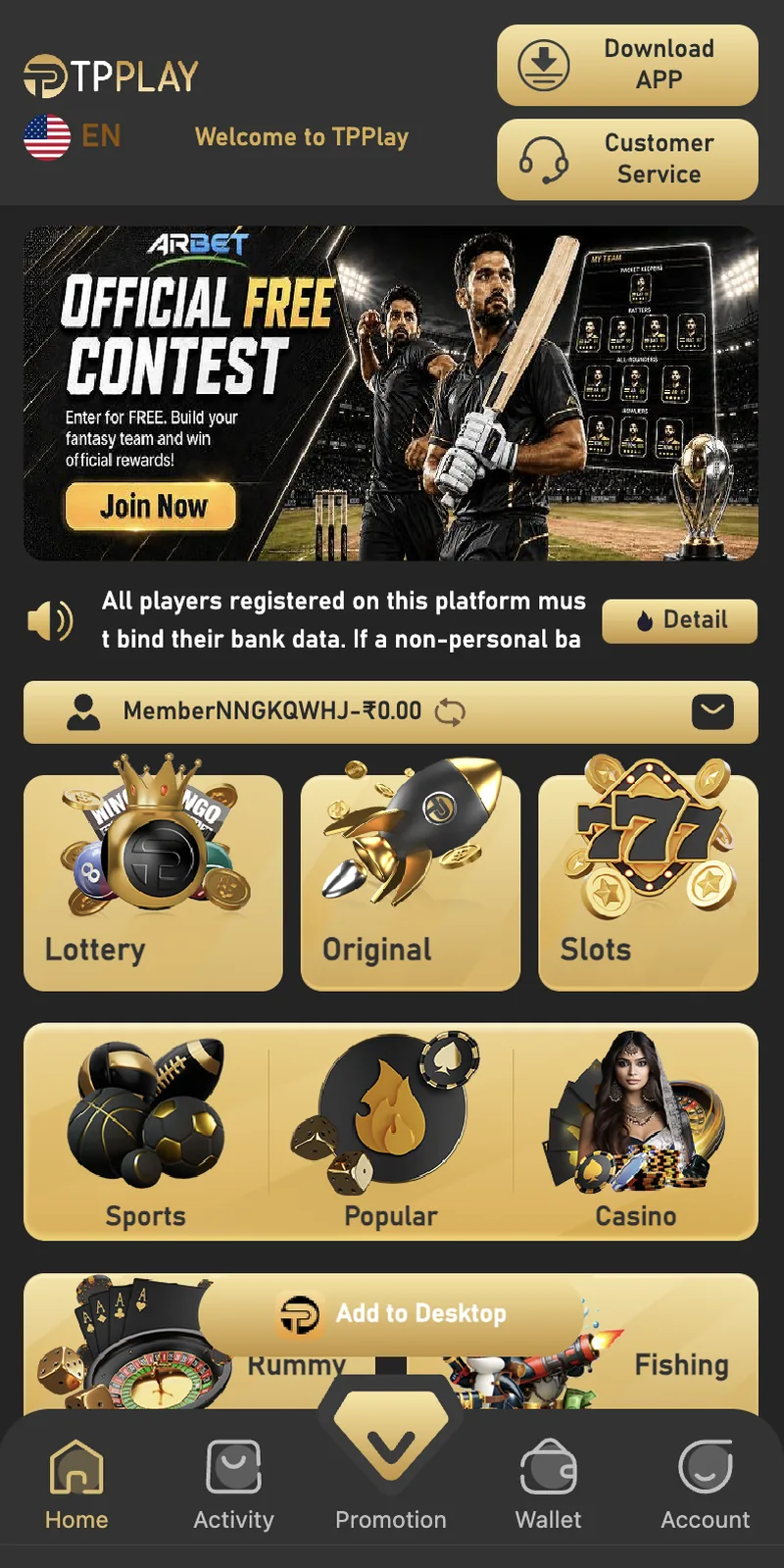
- Tap the Download APP ButtonA gold Download APP button sits at the top of the home screen. Tapping it starts the APK download. On a 4G connection, the 45 MB file downloads in 30 to 60 seconds.
- Allow Install from Unknown SourcesAndroid blocks APKs from outside Google Play by default. Open Settings, then Security, then toggle on Install from Unknown Sources for Chrome. On newer Android versions, tap Settings → Apps → Special Access → Install Unknown Apps → Chrome → Allow.
- Install the APKOpen your Downloads folder and tap the APK file. A permission screen appears showing what the app needs. Tap Install. Installation completes in 30 to 60 seconds.
- Open and LoginTap Open on the final screen. Enter your registered mobile number and password, then verify with the 6-digit OTP. Your dashboard loads with the wallet balance and game tiles.
How to Install on iPhone (iOS)
Apple does not allow real-money gaming apps on the App Store. iPhone users access the platform through Safari.
- Open Safari and Visit the SiteType tpplayofficial.in in Safari. Do not use Chrome or Firefox on iOS — Safari handles the mobile layout best.
- Login or RegisterTap Login or Register at the top right. Enter your mobile number, password, and OTP.
- Add to Home ScreenTap the Share button at the bottom of Safari. Scroll down and tap Add to Home Screen. Name it "TPPLAY." Tap Add.
- Launch from Home ScreenThe icon appears on your home screen. Tapping it opens the site full-screen without the Safari address bar. This gives an app-like experience without needing an App Store download.
Difference Between iOS and Android
| Feature | Android APK | iOS via Safari |
|---|---|---|
| Installation | APK download required | Add to Home Screen shortcut |
| Storage Used | 45 MB | 0 MB (uses Safari cache) |
| Push Notifications | Yes | No |
| Auto OTP Fill | Yes | Limited |
| Update Method | Manual APK update | Automatic |
| Performance | Faster after install | Slightly slower |
If you play daily on Android, install the APK. If you use iPhone or play occasionally, the Safari shortcut works well.
APK Permissions Explained
During installation, the app requests specific permissions. Here is what each one does and why it is needed.
| Permission | Why It Is Needed | Required? |
|---|---|---|
| Storage | Save game assets, cached images, transaction receipts | Required |
| Phone | Read device ID for account security and fraud prevention | Required |
| SMS | Auto-fill login OTP for faster sign-in | Optional |
| Camera | Scan KYC documents during verification | Optional |
| Network Access | Sync wallet balance, game results, and live updates | Required |
| Notifications | Alerts for bonuses, game results, and account activity | Optional |
Red Flag Permissions
The official app does not request access to contacts, call logs, or location. If a downloaded APK asks for these permissions, it is not the official file. Uninstall it immediately and reinstall from tpplayofficial.in.
App Features After Install
🎮 15+ Game Modes
Win Go, Wingo, K3, 5D, Aviator, MotoRace, Rummy, Ludo, Cricket, Casino, Slots, Fishing, Lottery, Sports, and Original.
💰 Wallet & Payments
Deposit via UPI-QR, Innate UPI-QR, UPI-QR PAY, USDT, and ARPay. Minimum deposit ₹100. Maximum ₹50,000 per transaction.
🏆 VIP System
Every ₹1 you bet earns 1 EXP. Reach 3,000 EXP for VIP1. Higher levels unlock monthly rewards and rebate percentages.
🎁 Bonus Center
Attendance bonus, betting rebate, Super Jackpot, Wheel of Fortune, gift codes, and top-up coupons in the Promotion tab.
👥 Referral Dashboard
See your invite code, invitation link, direct subordinates, team subordinates, and commission earnings in the Agency section.
💬 Live Chat Support
24/7 customer service for login issues, deposit queries, and withdrawal problems. Response time is 5 to 15 minutes.
How to Update the App
The Android APK does not update automatically like Play Store apps. You install new versions manually.
- Watch for the Update PromptOn launch, the app checks the server for a newer version. If one exists, a popup appears with an Update button.
- Tap UpdateTapping Update opens the official website in your browser. The new APK begins downloading automatically.
- Install Over the Old VersionYou do not need to uninstall the old app first. The new APK installs on top, preserving your login and wallet data.
- Verify the VersionAfter install, open Account → Settings → About to confirm the version number. Old version numbers mean the update failed.
If you do not see the update prompt, check the website manually every 30 days. Major game additions and security patches release on that schedule.
12 App Install and Run Errors
1. "App Not Installed" Error
Cause: Conflicting app version already installed, or corrupted APK. Fix: Uninstall any previous version, clear your Downloads folder, and re-download from tpplayofficial.in.
2. APK Download Fails Midway
Cause: Unstable network or interrupted connection. Fix: Switch to mobile data if Wi-Fi is unstable. Retry the download. Use Chrome browser — some browsers block APK downloads.
3. "Parse Error"
Cause: Corrupted APK file or incomplete download. Fix: Delete the APK, clear browser cache, and download fresh. Verify the file size is 45 MB before installing.
4. Install Blocked by Play Protect
Cause: Google Play Protect flags APKs from outside the Play Store. Fix: Tap Install Anyway on the warning screen. Play Protect blocks unofficial APKs by default but does not stop manual installs.
5. App Crashes on Launch
Cause: Old Android version, low RAM, or corrupted app data. Fix: Clear app cache from Settings → Apps → TPPLAY → Storage → Clear Cache. If crashes persist, uninstall and reinstall.
6. Login Screen Not Loading
Cause: Weak network or server-side issue. Fix: Check your internet speed. If the network is fine, wait 5 minutes and retry. The server occasionally goes into maintenance mode between 2 AM and 4 AM IST.
7. Black Screen After Login
Cause: WebView component outdated. Fix: Open Google Play Store, search for Android System WebView, and tap Update. Restart the app.
8. App Slow or Laggy
Cause: Low RAM or too many background apps. Fix: Close background apps before launching. If lag persists, restart your phone. Keep at least 500 MB free storage.
9. OTP Not Auto-Filling
Cause: SMS permission not granted. Fix: Open Settings → Apps → TPPLAY → Permissions → SMS → Allow. Auto-fill works only when SMS permission is granted.
10. Payment Page Freezes
Cause: UPI app conflict or slow network. Fix: Close the app and your UPI app (PhonePe, Google Pay, Paytm). Reopen the app, retry the deposit.
11. "Update Required" Loop
Cause: Outdated app version. Fix: Uninstall the app, download the latest APK from the official website, and reinstall.
12. App Not Showing New Games
Cause: Cached game library. Fix: Open Account → Settings → Clear Cache. Restart the app. New games appear on the home screen.
App Security and Privacy
- Download only from the official site. Third-party APK sites bundle adware or credential-stealing malware.
- Verify permissions after install. If the app requests contacts, call logs, or location, it is not the official file. Uninstall immediately.
- Do not root your phone. Rooted devices lose the app's built-in security checks, exposing your wallet to interception.
- Use a screen lock. A PIN, fingerprint, or face unlock prevents someone who picks up your phone from opening the app.
- Log out on shared devices. If you log in on a friend's phone, tap Log Out from Account when finished.
- Keep the app updated. New versions patch security holes found in older builds.
For a comprehensive look at platform safety including encryption and RNG fairness, see the safety review article.
Install Checklist
- ✅ Android 6.0 or later (Android 11+ recommended)
- ✅ 150 MB free storage (500 MB recommended)
- ✅ 2 GB RAM or more
- ✅ Stable 4G or Wi-Fi connection
- ✅ Downloading from tpplayofficial.in only
- ✅ Install from Unknown Sources enabled
- ✅ Phone screen lock enabled
- ✅ Registered account ready (mobile number + password)
With all items confirmed, the install completes in 2 to 3 minutes.
Community APK Resources
Several Indian gaming communities share APK install tips, version tracking, and error resolution guides. The DMFirst APK resource hub maintains running threads of APK version numbers with install notes and error fixes from users. Their community also posts tips on optimising performance on low-end devices.
The official TP Play Telegram channel posts APK update announcements when major version releases are published.
Frequently Asked Questions
How do I download the TP Play app?
Is the TP Play app available on Google Play?
What is the APK file size?
Is the app safe to install?
How do I install on iPhone?
Why does Android block the APK install?
What Android version does the app need?
Does the app work on 4G?
Can I use the same account on two devices?
How do I update the app?
Does the app collect personal data?
How do I uninstall the app?
Related Guides